

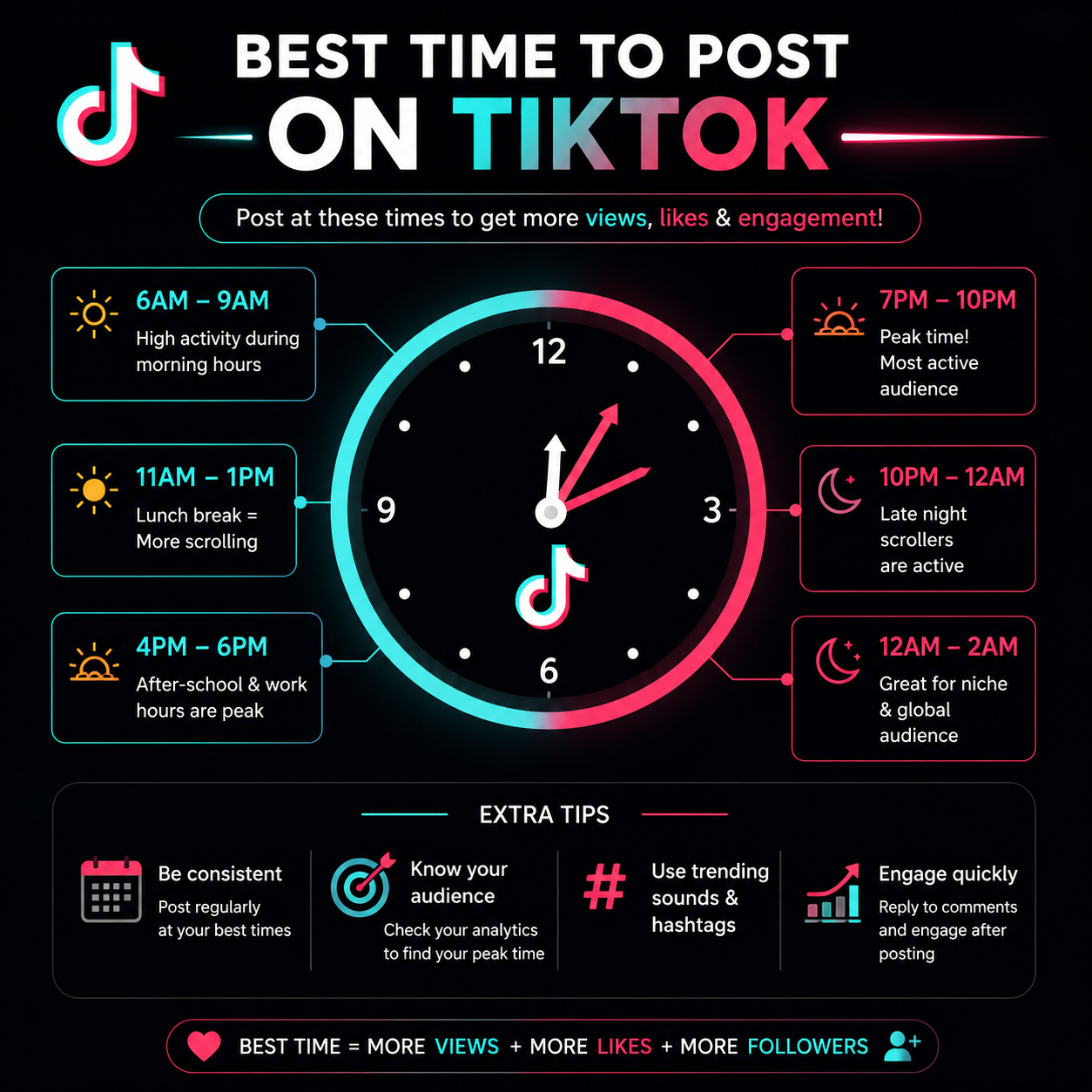
Finding the best time to post on tiktok is the fastest way to grow your account. If you post when your audience is asleep, your video will fail. If you post when millions of users are active, your video can go viral.
TikTok uses a complex algorithm. The platform tests your video with a small group of viewers first. If those viewers watch the full video, comment, and share it, TikTok pushes it to the For You Page (FYP). To get that early engagement, you must upload your content right before peak traffic hours.
Recent social media data from millions of posts shows clear patterns for user activity. Let us break down the ideal schedule to maximize your views, likes, and shares.
The Global Best Time to Post on TikTok
While every audience is unique, global data reveals distinct trends. Most users scroll through the app during their daily breaks, morning commutes, and evening wind-down periods.
Peak Global Posting Hours
- Tuesdays: 2:00 AM, 4:00 AM, and 9:00 AM
- Thursdays: 9:00 AM, 12:00 PM, and 7:00 PM
- Fridays: 5:00 AM, 1:00 PM, and 3:00 PM
Midweek afternoons drive the most consistent engagement across the platform. Tuesdays through Thursdays between 2:00 PM and 6:00 PM local time represent a major sweet spot for brands and creators. During these hours, professionals and students experience an afternoon energy slump and open the app for a quick mental break.
Day-by-Day TikTok Posting Calendar
Audience behavior shifts significantly throughout the week. You cannot use the same daily schedule if you want optimal results. Use this day-by-day breakdown to plan your content calendar.
| Day of the Week | Primary Peak Time | Secondary Peak Time |
| Monday | 6:00 AM | 10:00 AM |
| Tuesday | 2:00 AM | 9:00 AM |
| Wednesday | 7:00 AM | 11:00 PM |
| Thursday | 9:00 AM | 7:00 PM |
| Friday | 5:00 AM | 3:00 PM |
| Saturday | 11:00 AM | 7:00 PM |
| Sunday | 8:00 AM | 4:00 PM |
Monday
People use Monday to reset for the workweek. Early morning slots like 6:00 AM perform well because users check their phones immediately after waking up. Another wave of traffic occurs at 10:00 AM during mid-morning coffee breaks.
Tuesday
Tuesday is one of the highest-performing days for overall engagement. The 2:00 AM and 4:00 AM slots hit global audiences across multiple time zones perfectly. For local audiences, 9:00 AM is excellent as people settle into their daily routines.
Wednesday
Wednesday represents the midweek hurdle. Users look for entertainment to get through the rest of the week. Post early at 7:00 AM or wait until the late-night window at 11:00 PM, when users cozy up in bed to binge short-form videos.
Thursday
Thursday traffic builds up heavily toward the weekend. The 9:00 AM slot catches the morning rush, while 12:00 PM secures the lunch-break crowd. The evening at 7:00 PM is the strongest window of the day as people unwind.
Friday
Friday habits change as the weekend starts. Morning posts at 5:00 AM catch early risers. Afternoon posts at 1:00 PM and 3:00 PM perform beautifully because engagement drops sharply on Friday evenings when people go out to socialize.
Saturday
Saturday shifts entirely toward leisure time. Avoid early morning posts. Instead, aim for 11:00 AM when users finally start scrolling after a slow morning. The evening window between 7:00 PM and 8:00 PM is also highly active.
Sunday
Sunday morning is a golden window for raw view counts. Post at 8:00 AM or 9:00 AM to reach people who scroll in bed before starting their day. The afternoon at 4:00 PM is your last safe bet before traffic drops due to the “Sunday Scaries.”
The Velocity Rule: Why Timing Matters
Timing your content dictates your initial algorithmic momentum. TikTok does not distribute your video to everyone at once.
The Algorithm Loop
- The Test Phase: TikTok shows your video to a small pool of 200 to 500 users.
- The Metric Check: The system tracks watch time, completion rate, likes, comments, and shares.
- The Expansion: If the test group responds positively, TikTok pushes the video to a wider audience on the FYP.
To win this process, utilize The Velocity Rule. Always publish your video 30 to 60 minutes before your audience hits peak activity. If your followers are most active at 7:00 PM, upload your video at 6:00 PM. This buffer gives the algorithm enough time to index, process, and distribute your content just as millions of users log online.
How to Find Your Personal Best Time to Post
Global statistics offer a brilliant baseline, but your specific target market determines your actual success. You must look at your personal data to optimize your reach.
Step-by-Step Guide to TikTok Analytics
1.Access TikTok Studio:Mobile App.
Open your profile in the TikTok mobile app. Tap the three lines in the top right corner and select TikTok Studio.
2.Navigate to Analytics:Data Overview.
Tap on the Analytics tool inside the studio menu to open your performance dashboard.
3.Open the Followers Tab:Audience Insights.
Select the Followers tab at the top of the screen. Scroll past demographic data to find the Follower Activity section.
4.Analyze Active Hours:Identify Peaks.
Review the hourly and daily graph. Look for the specific hours where your follower count spikes highest.
Always check the time zone of your analytics panel. TikTok often displays data in Coordinated Universal Time (UTC). If your target audience lives in New York (EST) but your data shows UTC, you must convert the hours manually to avoid posting at the wrong time.
Best Posting Times by Niche and Industry
Different industries attract different audiences. A business executive does not browse TikTok at the same time as a teenager looking for gaming clips. Tailor your strategy to your industry niche.
1. E-commerce and Retail
- Best Windows: Friday evenings (5:00 PM – 8:00 PM) and Saturday afternoons (1:00 PM – 4:00 PM).
- Why it works: Consumers look for shopping inspiration and style trends when they have the disposable time and freedom of the weekend.
2. Food and Beverage
- Best Windows: 11:00 AM to 1:00 PM (Lunch window) and 5:00 PM to 7:00 PM (Dinner window).
- Why it works: Drop mouth-watering recipes, restaurant reviews, or cooking tutorials right before traditional meal times to trigger impulse cravings.
3. Education and Self-Improvement
- Best Windows: Weekday mornings (8:00 AM – 10:00 AM) and Sunday mornings.
- Why it works: Users consume educational content, productivity hacks, and life advice when they possess a growth mindset at the start of their day.
4. Entertainment and Lifestyle
- Best Windows: Nighttime hours (7:00 PM – 11:00 PM) and all day Saturday.
- Why it works: People seek pure entertainment, comedy skits, and vlog content during their dedicated downtime when they can sit down for longer viewing sessions.
Three Mistakes to Avoid with Your TikTok Schedule
Even with the perfect clock strategy, simple errors can hurt your distribution. Avoid these common pitfalls to keep your metrics high.
- Ignoring the Dead Zones: Do not post between 12:00 AM and 4:00 AM on weekdays. You miss the active traffic windows completely, and your video sits dead without initial engagement.
- Over-posting Context: Do not dump five videos at the exact same hour. Space your uploads out by at least two to three hours so your own videos do not compete against each other in the algorithm.
- Relying Solely on Timing: Timing gets you through the front door, but content quality keeps you in the room. If your video lacks a strong three-second hook, viewers will swipe away instantly, regardless of the posting time.
Advanced Strategy: The 80/20 Rule for Testing
Audience habits evolve over time. To ensure your account does not stagnate, apply the 80/20 Rule to your publication workflow.
Dedicate 80% of your weekly content schedule to your proven peak hours. If your data proves that Tuesday at 6:00 PM brings high views, keep that slot filled. Allocate the remaining 20% of your calendar to random, untested time slots throughout the week. This experimentation allows you to discover hidden pockets of active users and connect with international markets you might otherwise miss.
Use scheduling tools to maintain this consistency without burning out. TikTok allows Business and Creator accounts to schedule videos up to ten days in advance directly from a desktop browser. Plan your weekly batch, schedule your slots, and let the algorithm do the heavy lifting.
